Please follow the on-screen instructions in this section.
Please follow the on-screen instructions in this section.
- Review data settings and proceed with the operation as needed.
- Select the required items and export according to your needs.
- Select the required items and export according to your needs.
Preparation
- If you do not have an account yet, complete sign-up and login first.
Section
- Follow the on-screen instructions shown in this step.
- Click "Create Backup" to generate and list backup files on the current page.
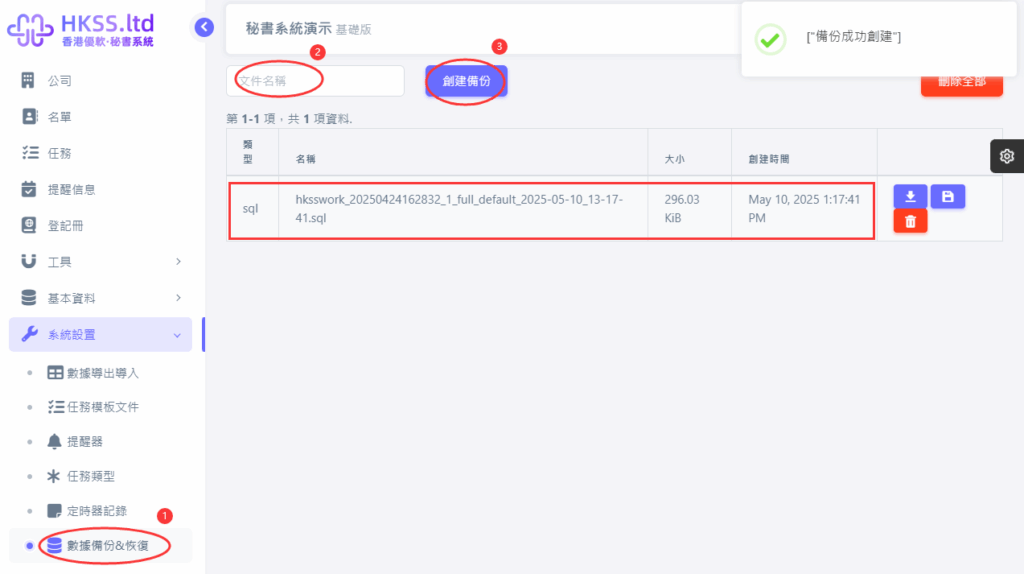
- Back up your database regularly based on your own policy.
- Select the required items and export according to your needs.
Section
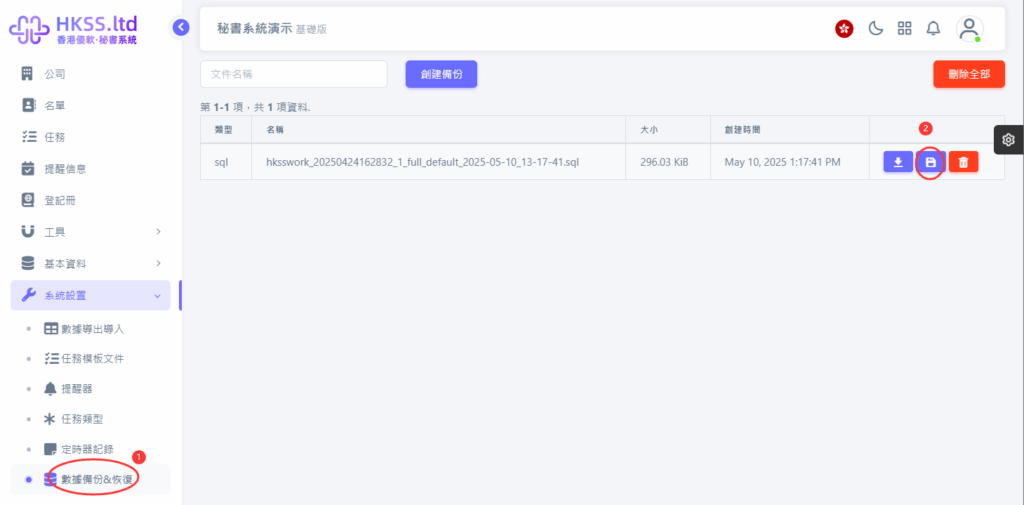
- Choose the backup file you want and click its "Restore" button.
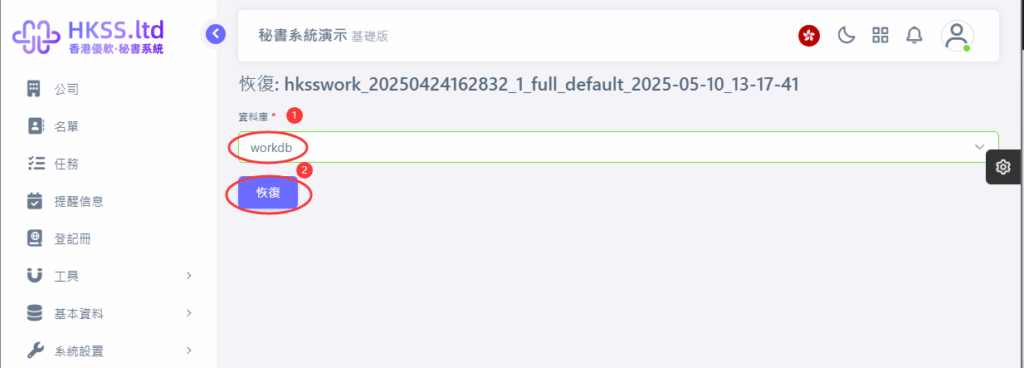
- Choose "workdb" as the target database (if only one app exists, only workdb is shown).
- Click "Restore" to recover the entire system to the backup state.