Please follow the on-screen instructions in this section.
Preparation
- Collect the names of relevant individuals or legal entities for the client.
Detailed Operations
- Click "Due Diligence" in the left menu.
- Click "Create" in the top-right corner.
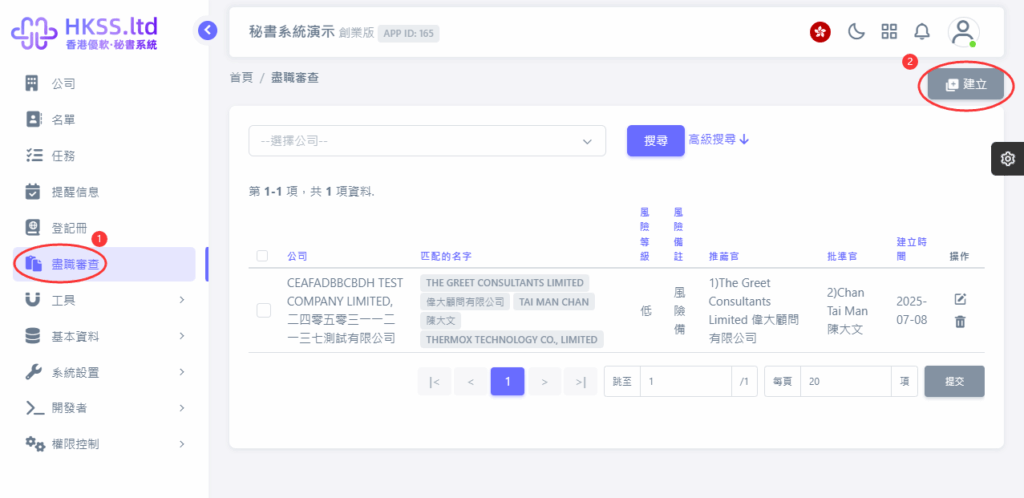
- Click the relevant menu/button and continue to the next step.
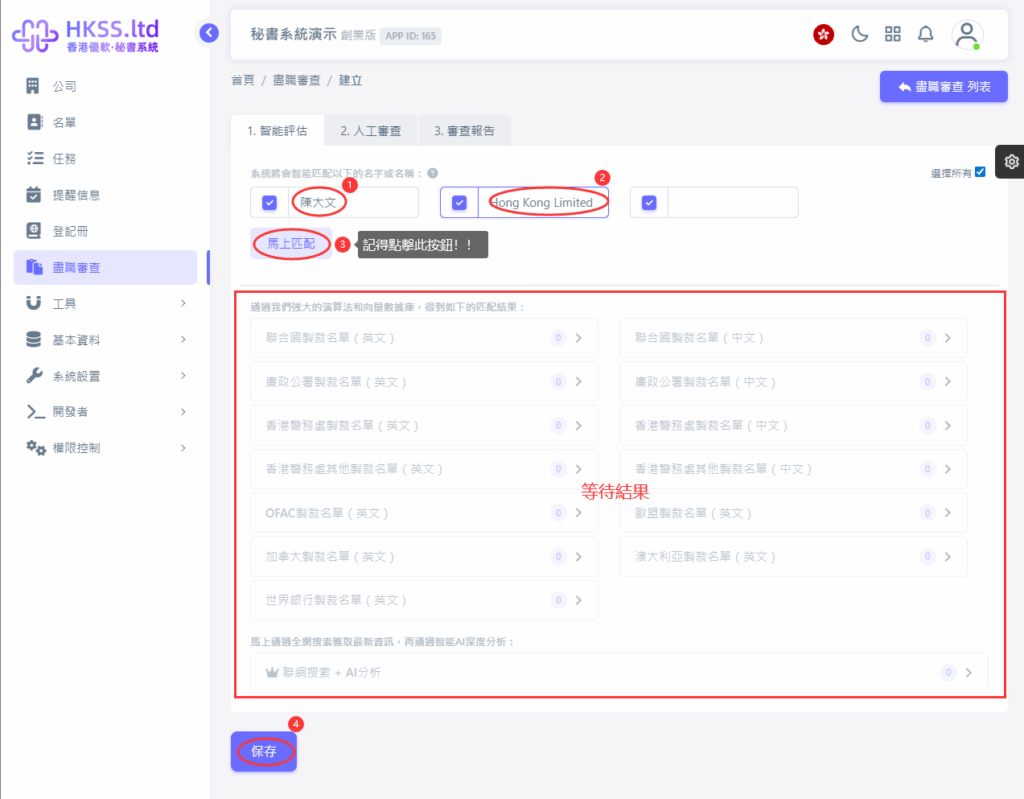
Please follow the on-screen instructions in this section.
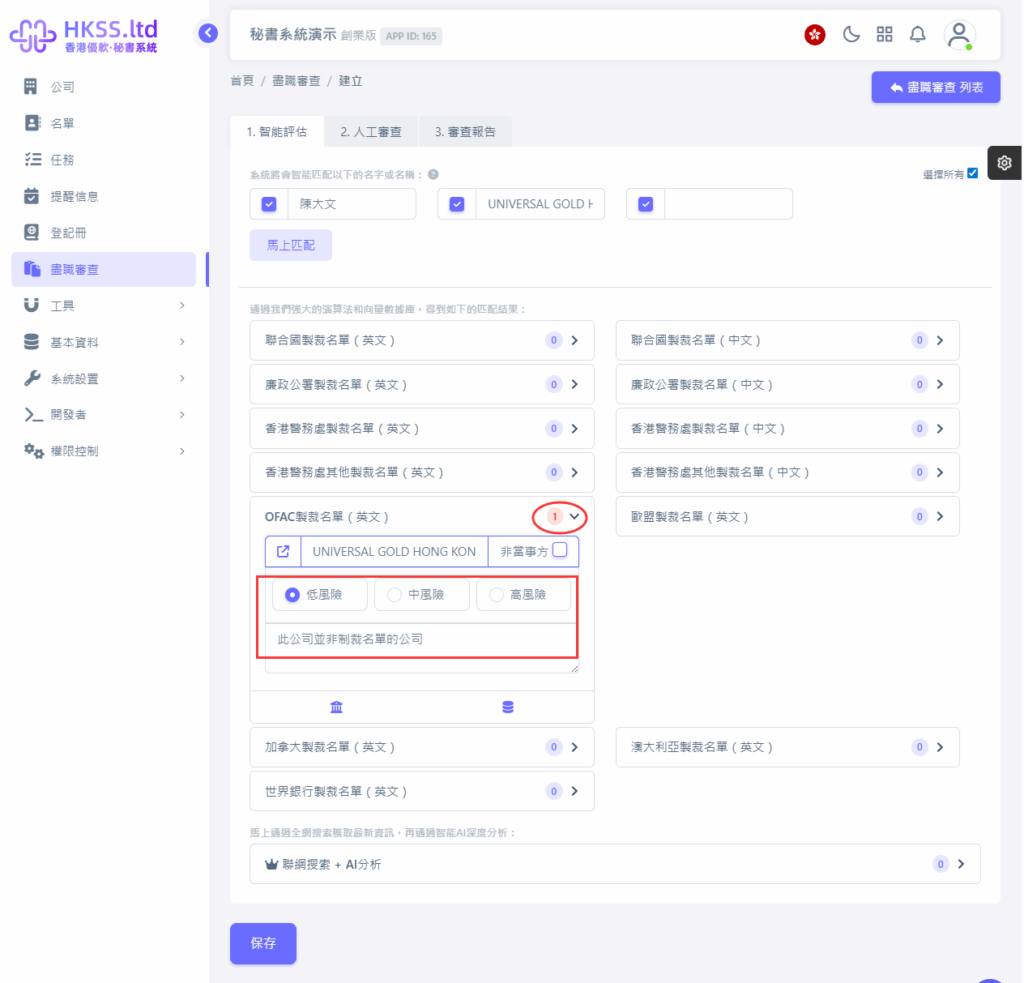
- Click the relevant menu/button and continue to the next step.
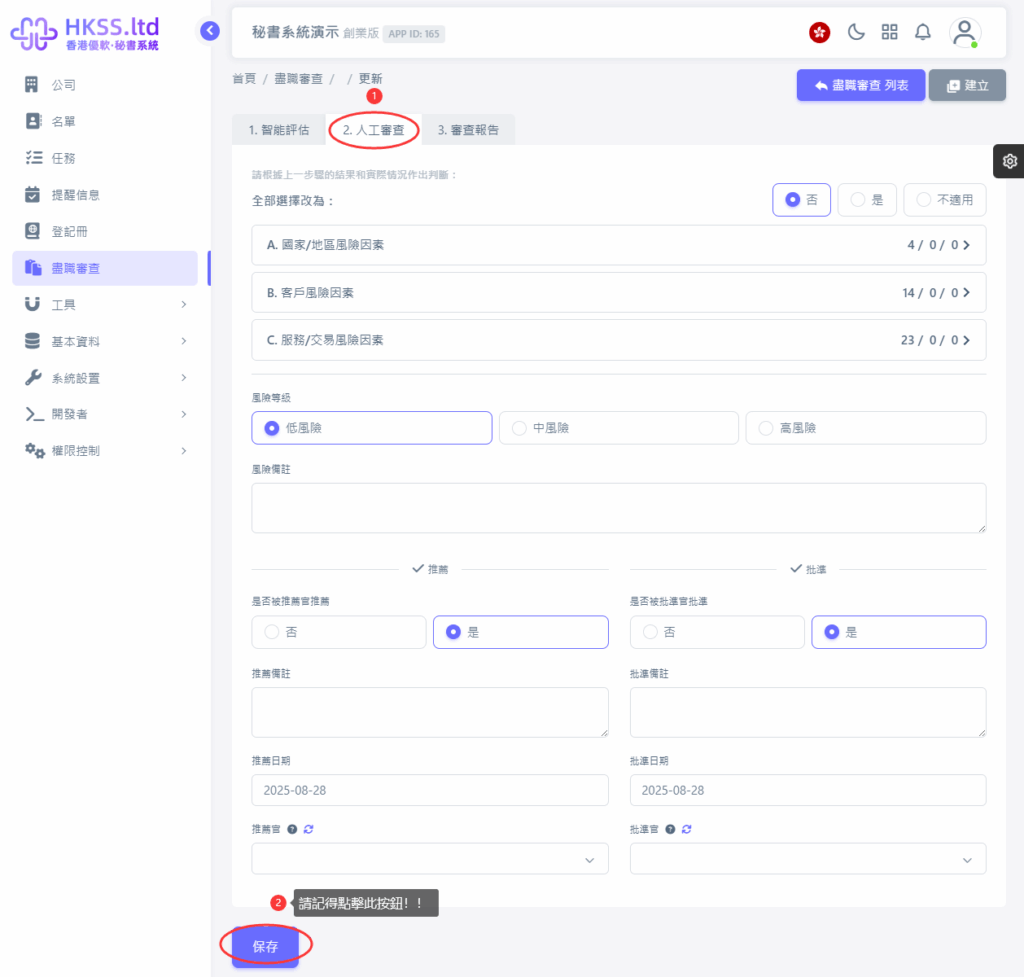
- Click the relevant menu/button and continue to the next step.
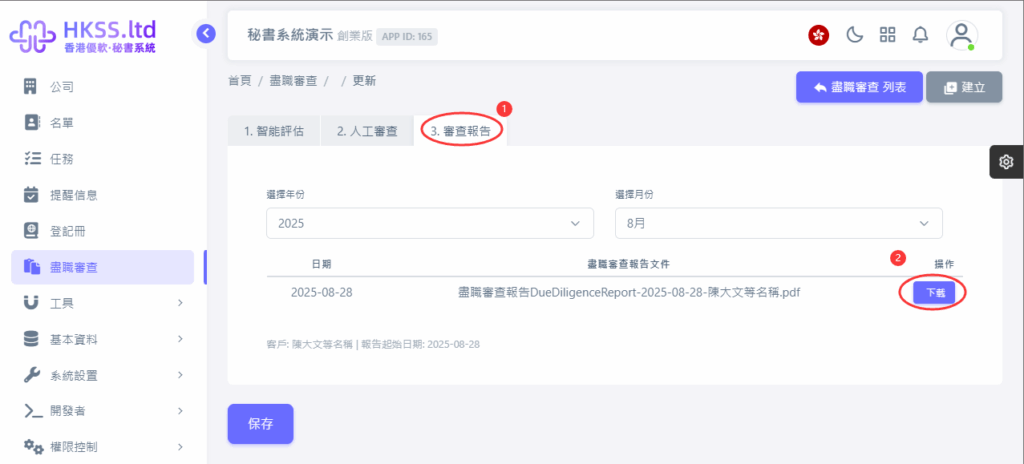
Please follow the on-screen instructions in this section.