Please follow the on-screen instructions in this section.
Please follow the on-screen instructions in this section.
- Follow the on-screen instructions shown in this step.
- Follow the on-screen instructions shown in this step.
Preparation
- If you do not have an account yet, complete sign-up and login first.
- Recommendation: back up your database before importing data.
2. Detailed Operations-Export
- Select the required option and continue.
- Click the "Export" button.
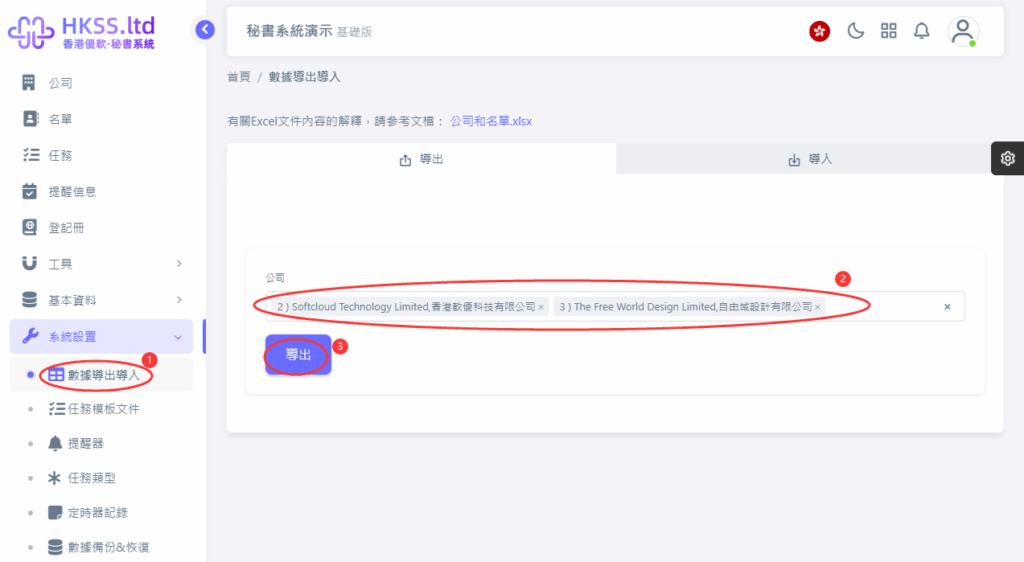
Please follow the on-screen instructions in this section.
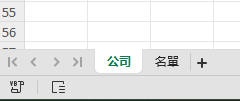
- Follow the on-screen instructions shown in this step.

- Follow the on-screen instructions shown in this step.

Please follow the on-screen instructions in this section.
- Follow the on-screen instructions shown in this step.
- Fill in the required information according to your case.
- Select the required items and export according to your needs.
- Select the required option and continue.
Section
- Select the file to import (.xlsx only).
- Click the relevant menu/button and continue to the next step.
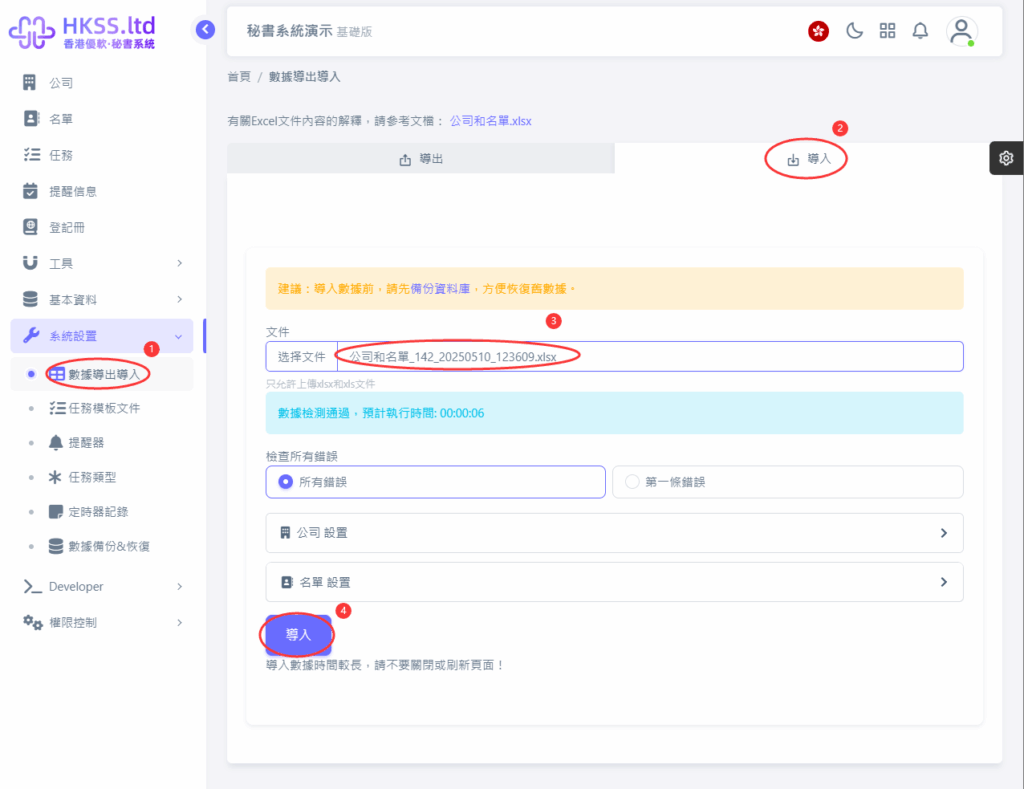
Please follow the on-screen instructions in this section.
