This tutorial guides you to create a follow-up record for your client communication.
Preparation
- If the required name list for this company role is not ready, complete the "Create Name List" tutorial first.
- If this company profile has not been created, complete the "Create Company Profile" tutorial first.
Step-by-Step
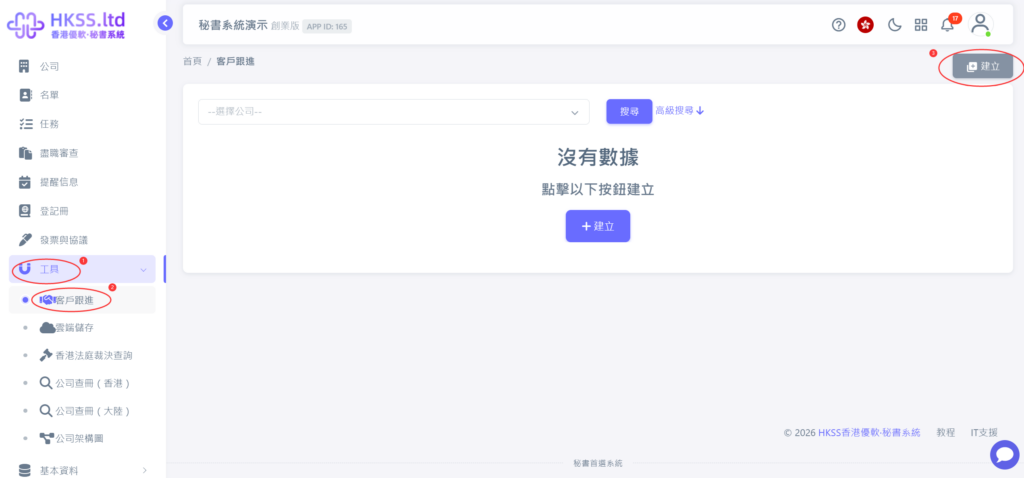
- Click "Tools" => "Client Follow-Up" in the left menu.
- Click the top-right "Create" button.
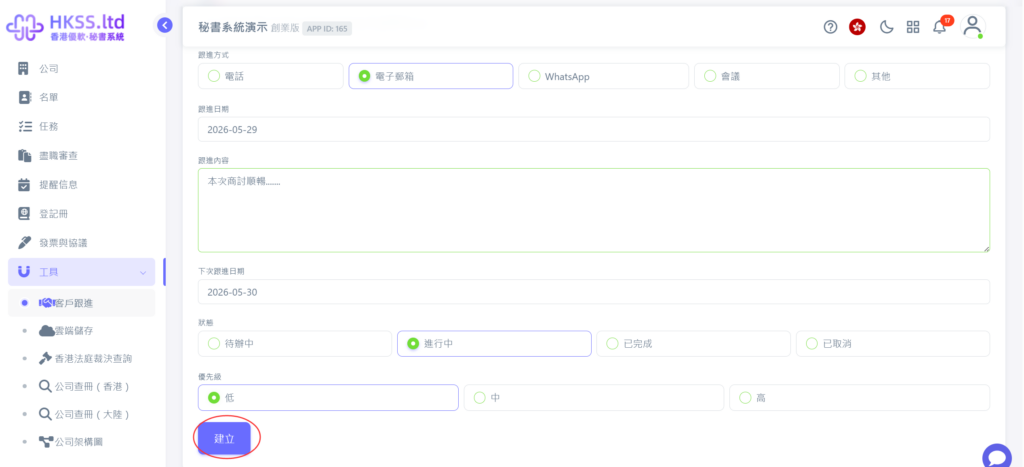
- Fill in the record according to the communication outcome with the client.
- After completion, click "Create" to save this follow-up record.