Please follow the on-screen instructions in this section.
Preparation
- If you do not have an account yet, complete sign-up and login first.
Detailed Operations
- Click "Name List" in the left menu.
- Click "Create" in the top-right corner.
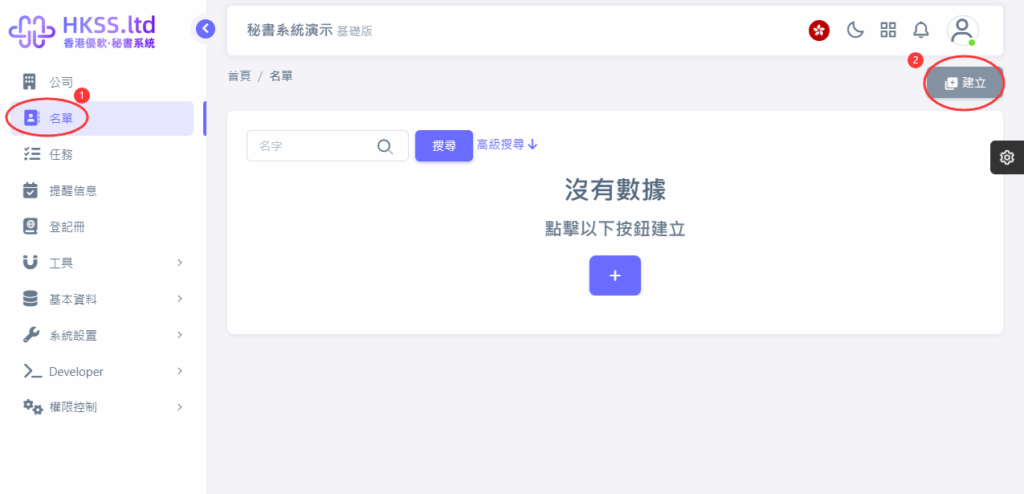
- Follow the on-screen instructions shown in this step.
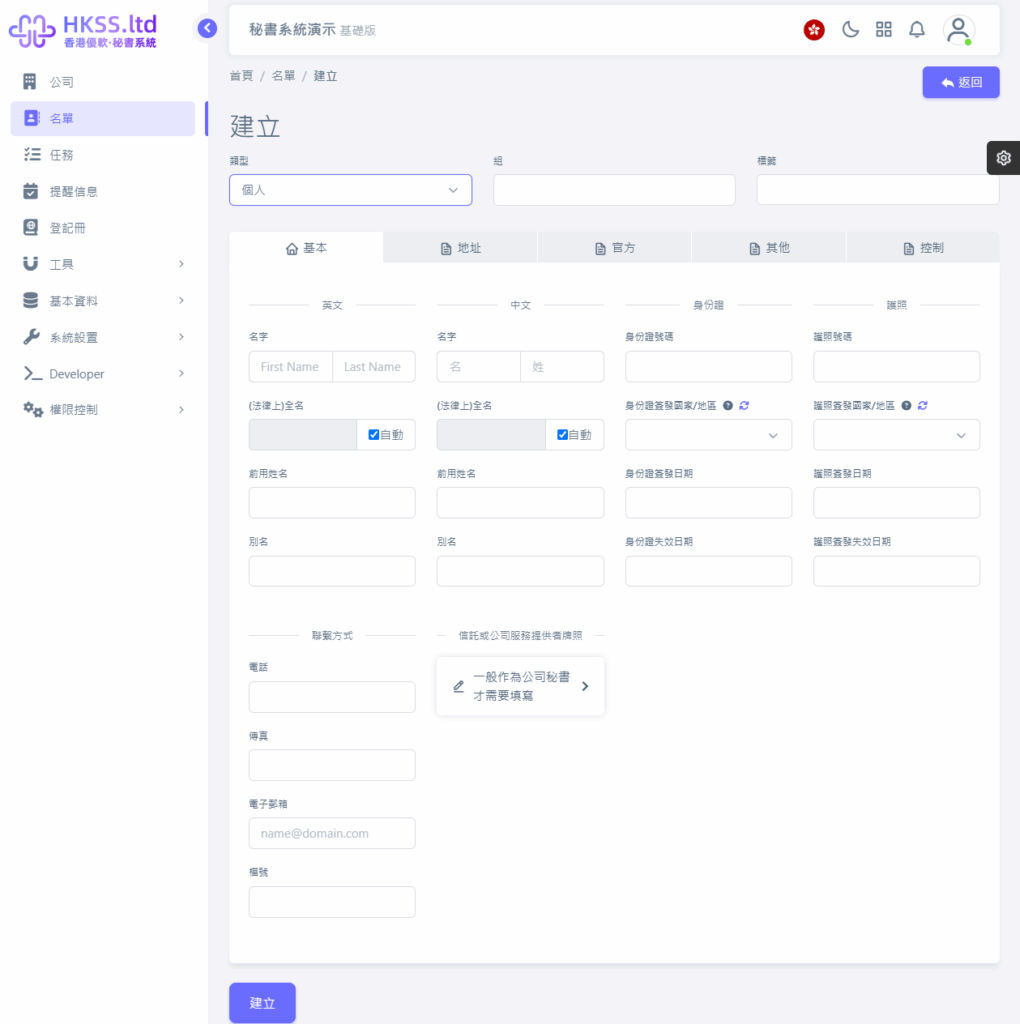
Please follow the on-screen instructions in this section.
Please follow the on-screen instructions in this section.
- Follow the on-screen instructions shown in this step.
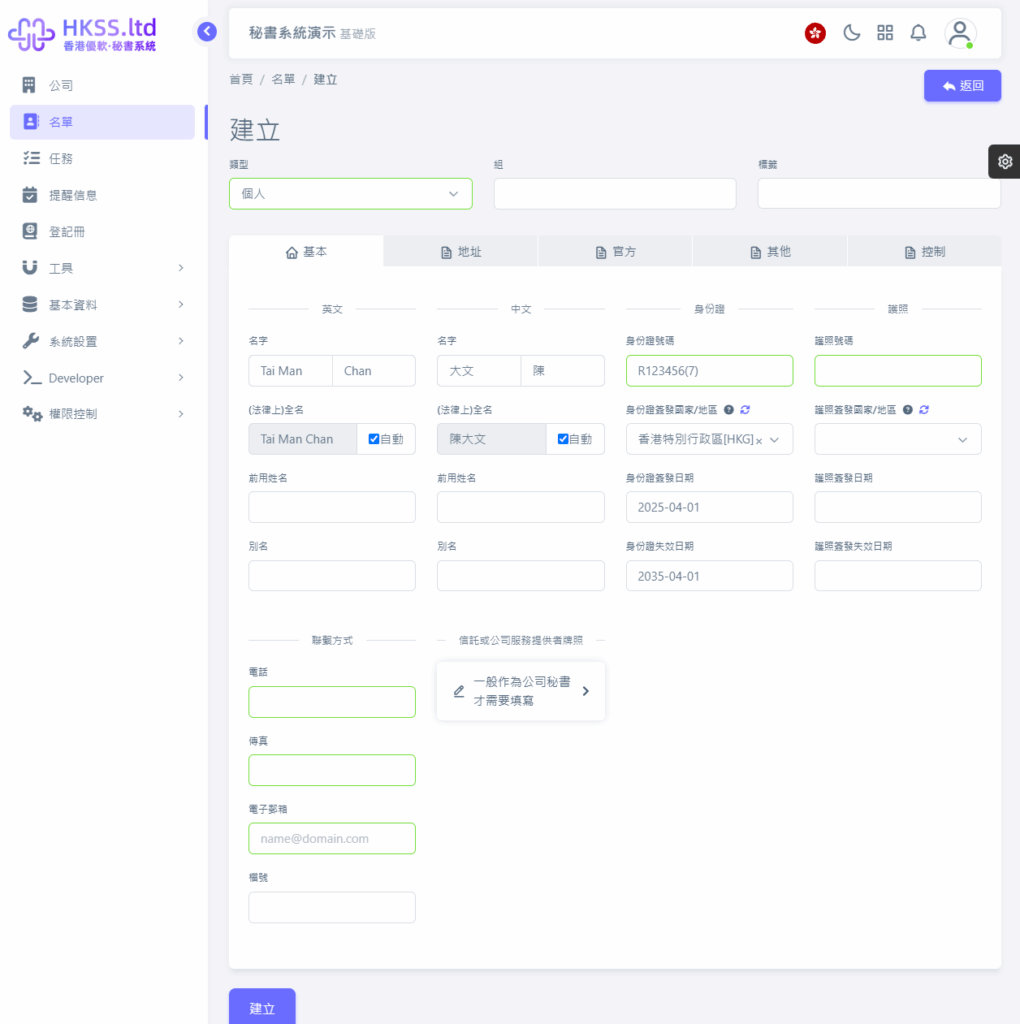
- Follow the on-screen instructions shown in this step.
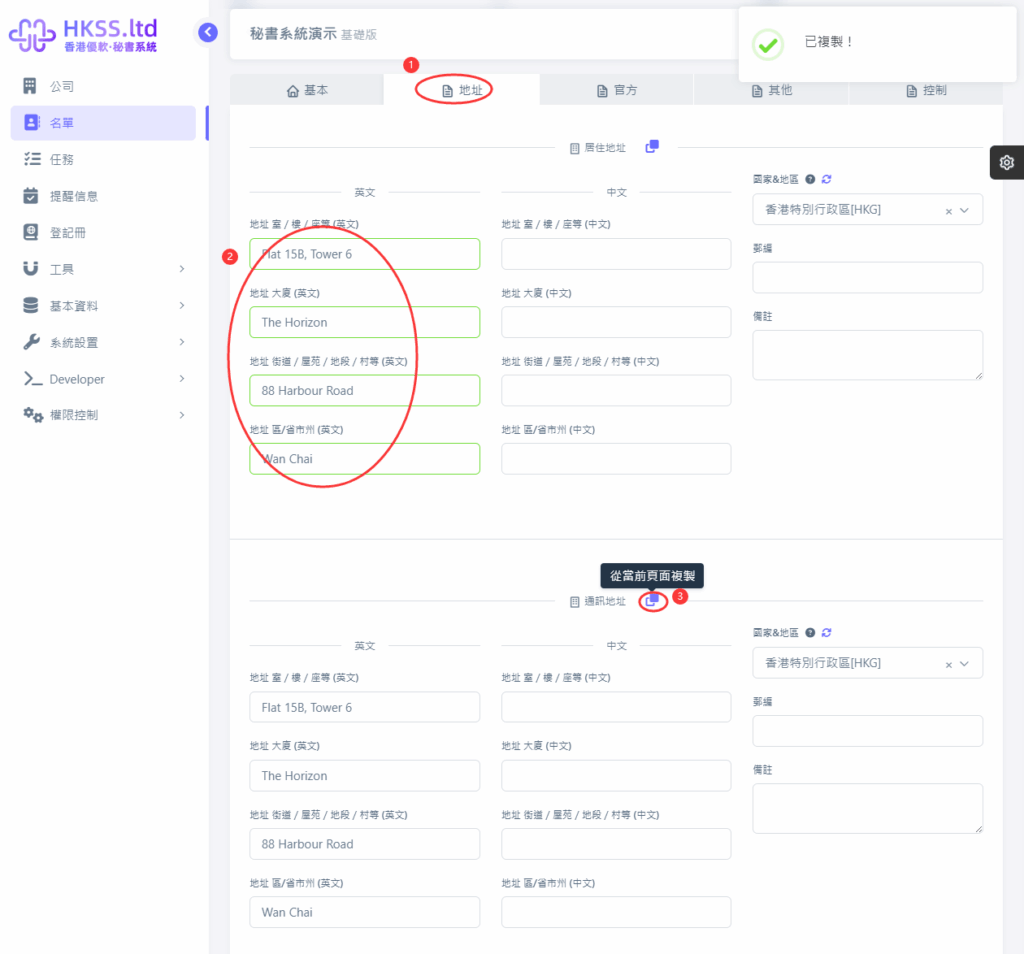
- Fill in the required information according to your case.
- Fill in the required information according to your case.
- Follow the on-screen instructions shown in this step.
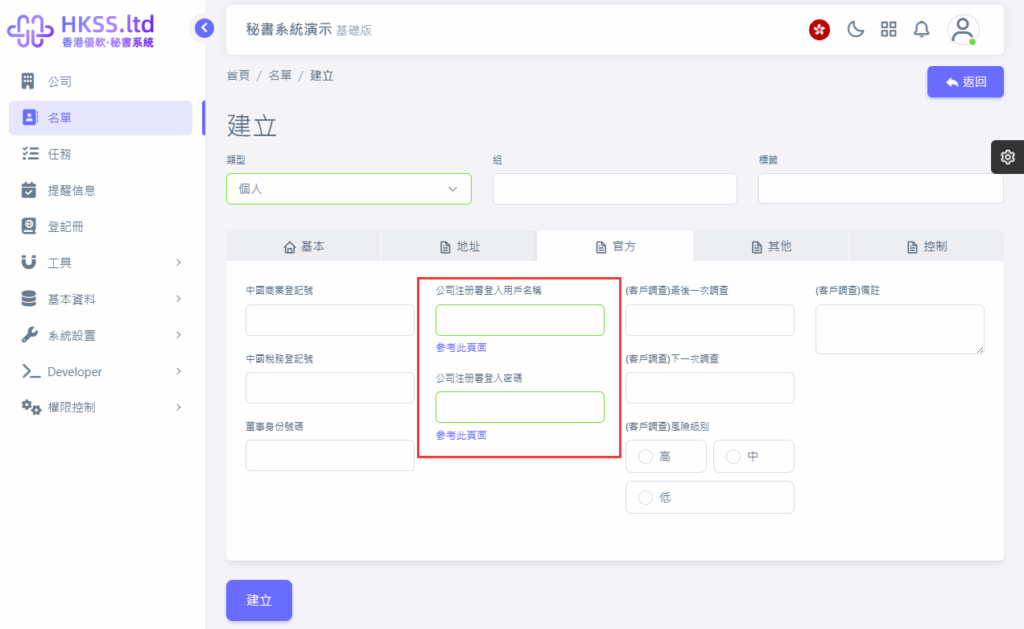
- Fill in the required information according to your case.
- Fill in the required information according to your case.
- Fill in the required information according to your case.
- Fill in the required information according to your case.
