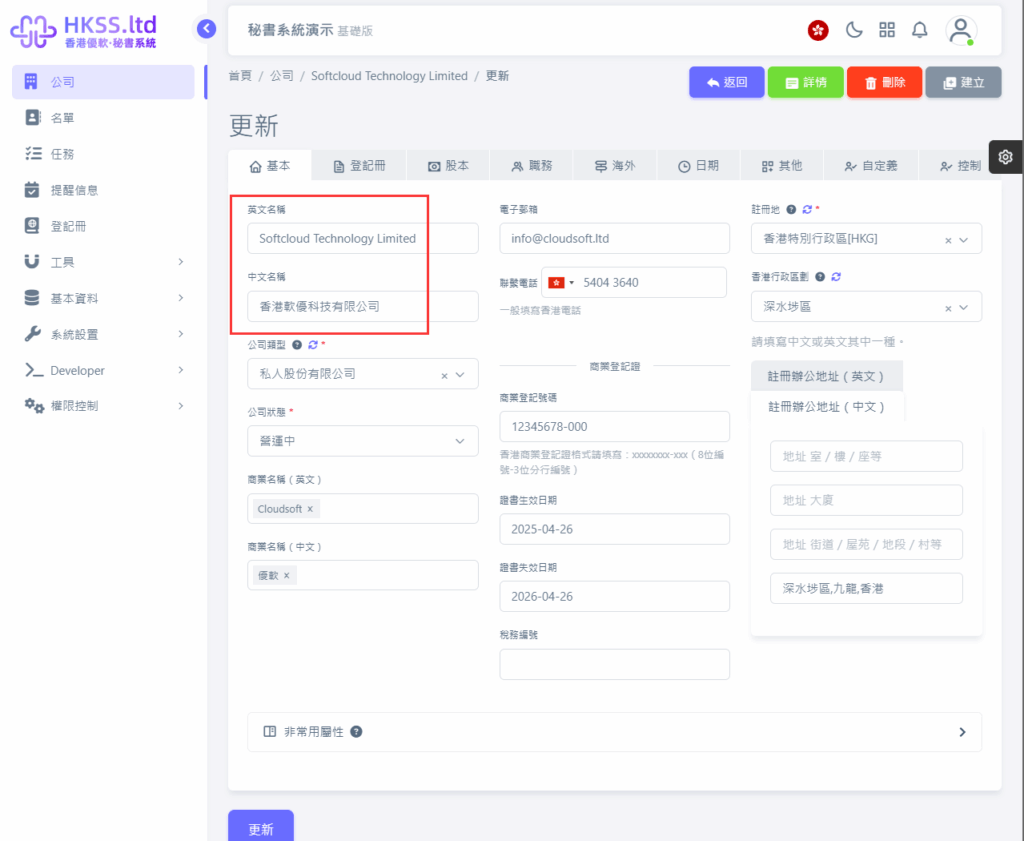
This tutorial guides you through the "Company/Business Name Change" workflow.
Preparation
- If the required officer/name list has not been created yet, follow this setup guide first.
- If the target company record has not been created yet, follow this company setup guide first.
Detailed Operations
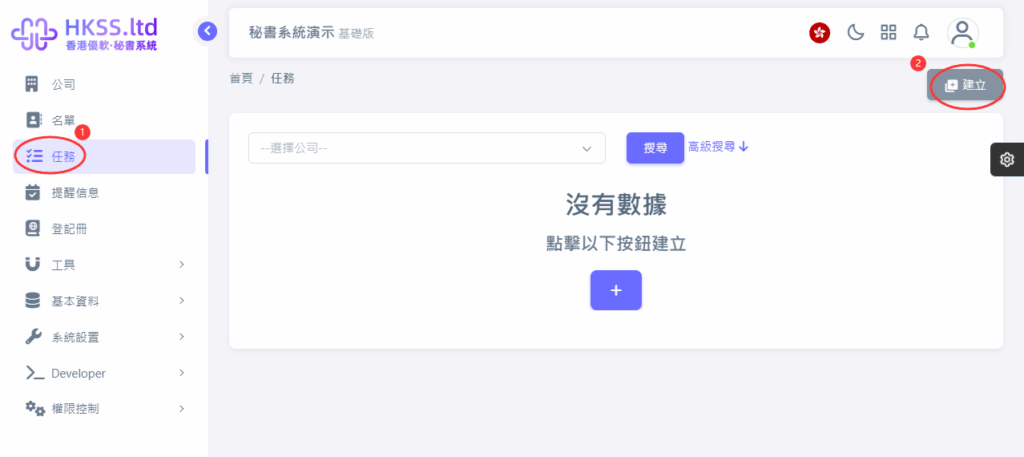
- Click "Tasks" in the left menu.
- Click "Create" in the top-right corner.
- Open the "Task Type" page and select "Company/Business Name".

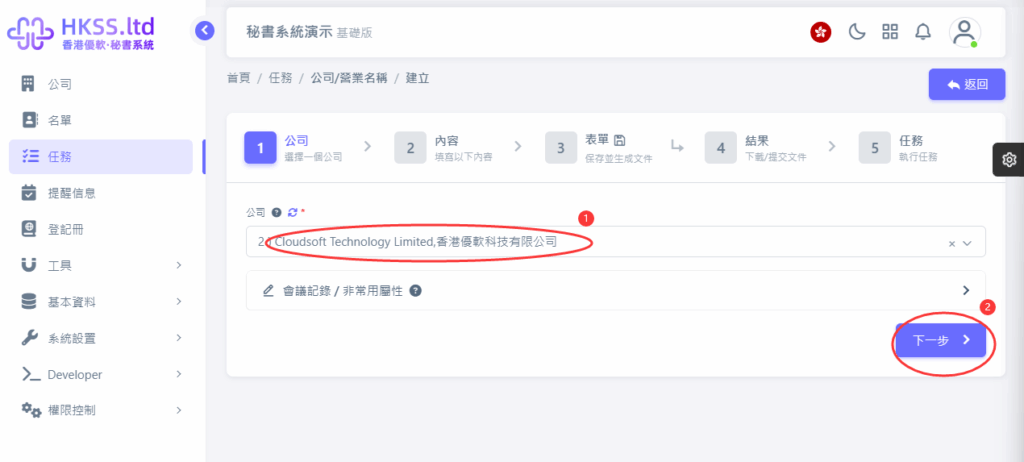
- Select the company to process and click "Next".
- Click the relevant menu/button and continue to the next step.
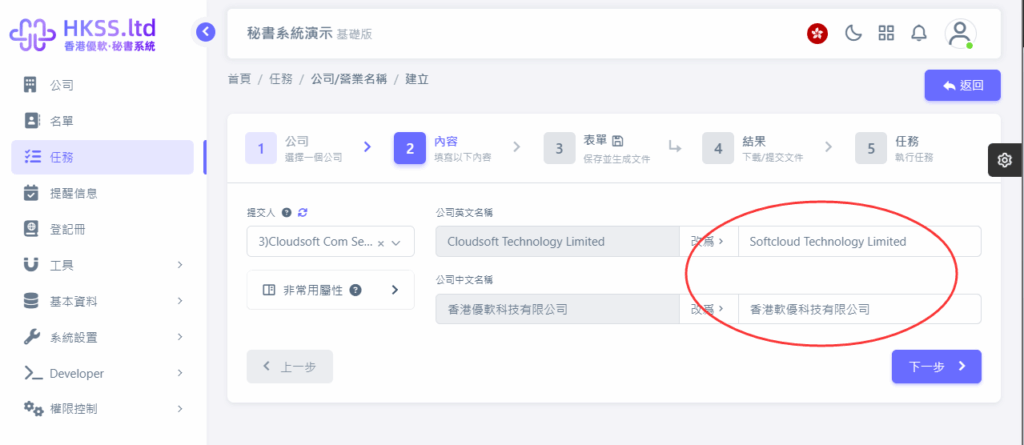
- Click the relevant menu/button and continue to the next step.
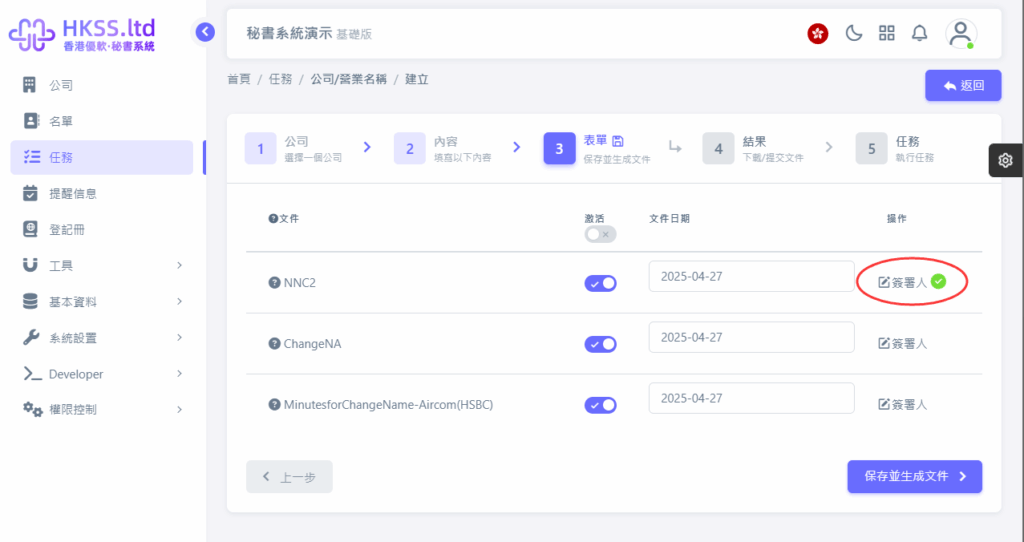
- Wait for the system to generate files, then download selected files or all files and choose your submission method.
- Online submission (API): data is transmitted electronically to the Companies Registry system.
- Offline submission (print and mail): download, print, sign where applicable, and post manually.
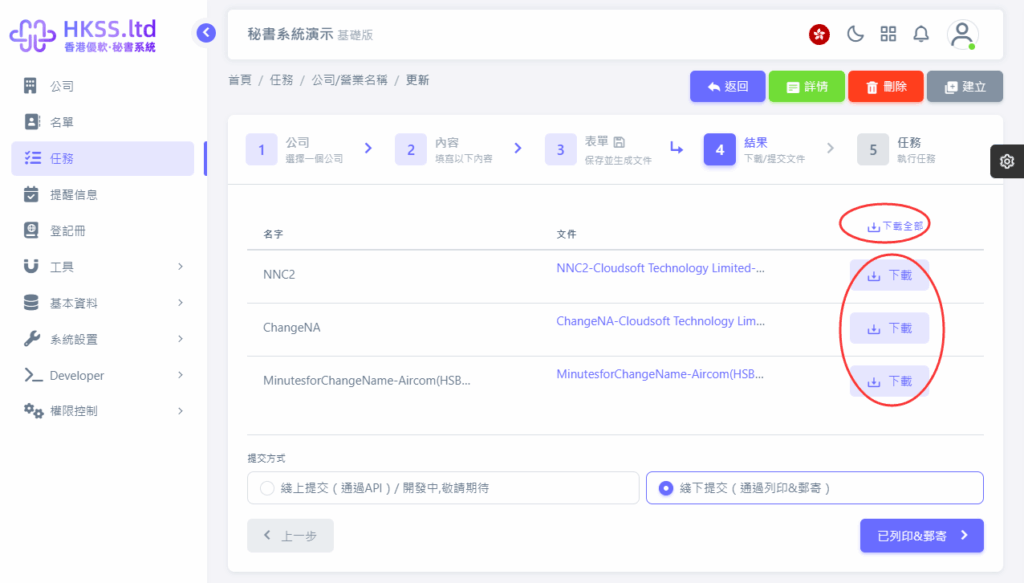
Please follow the on-screen instructions in this section.
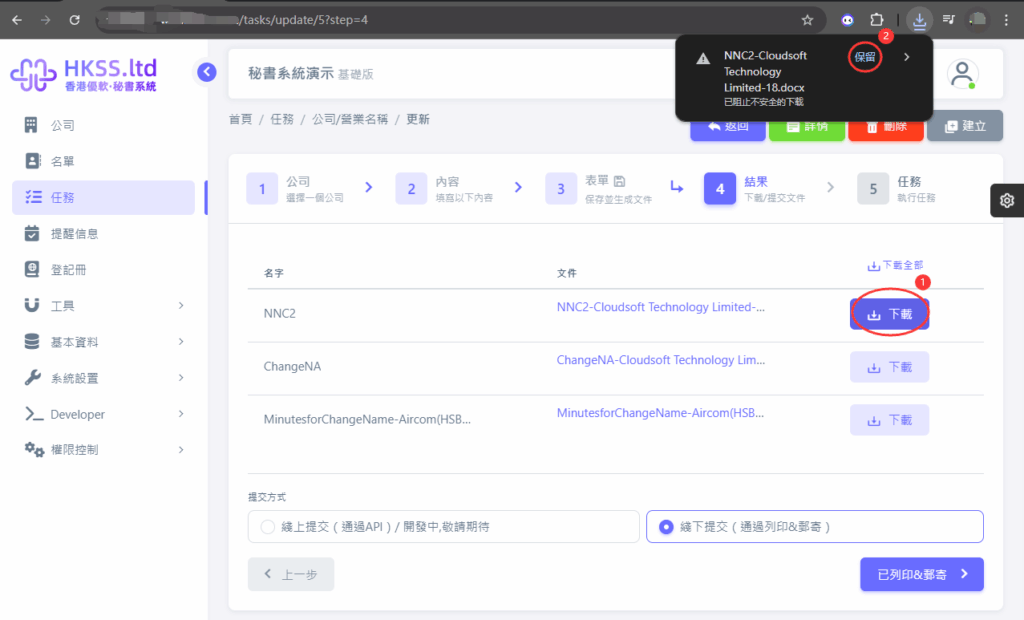
- After choosing a submission method, move to the next step. You may need to wait until the filing status is updated.
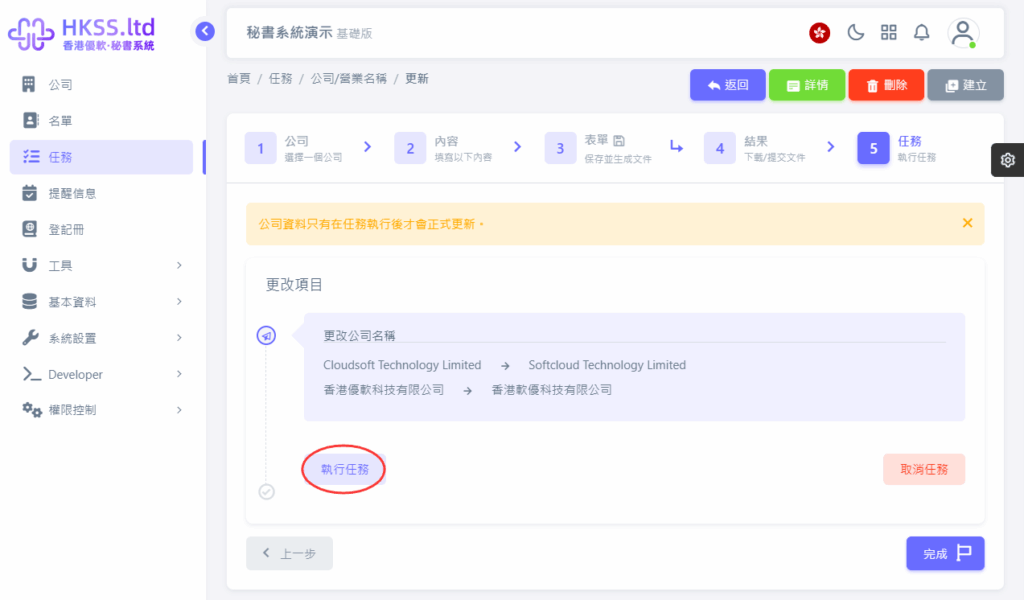
Please follow the on-screen instructions in this section.
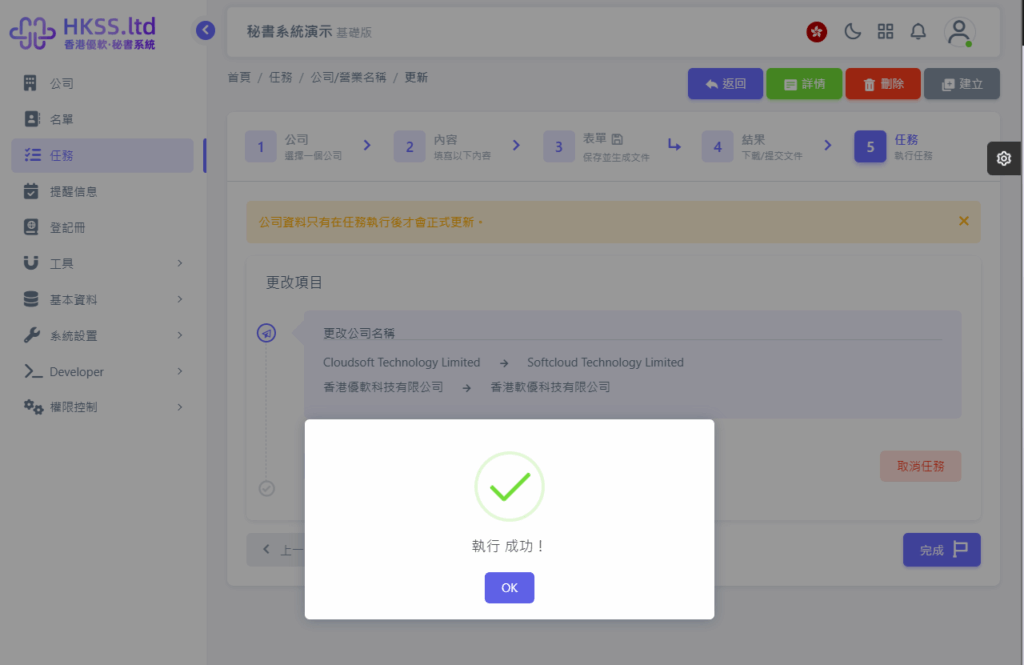
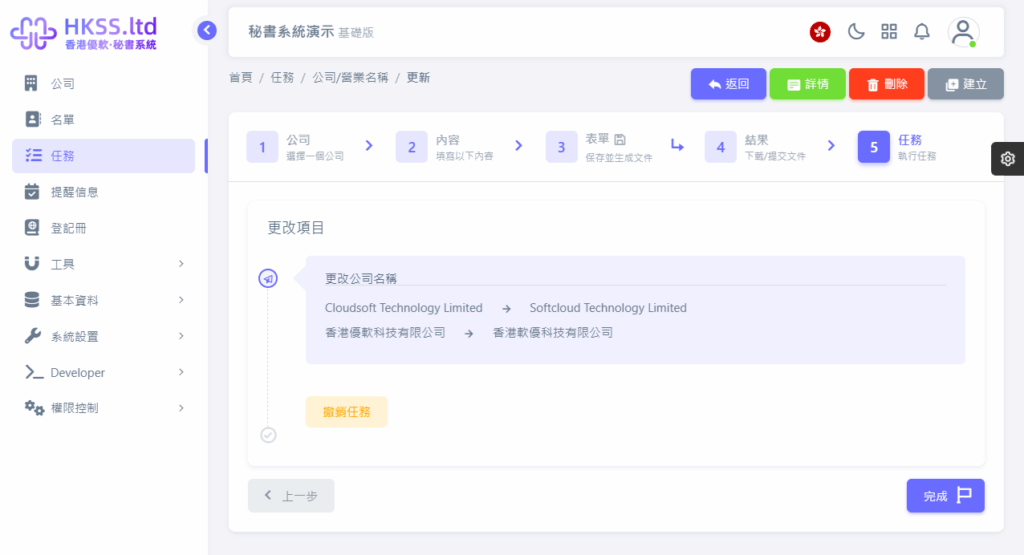
- After that, you can click "Complete" or exit the system directly.
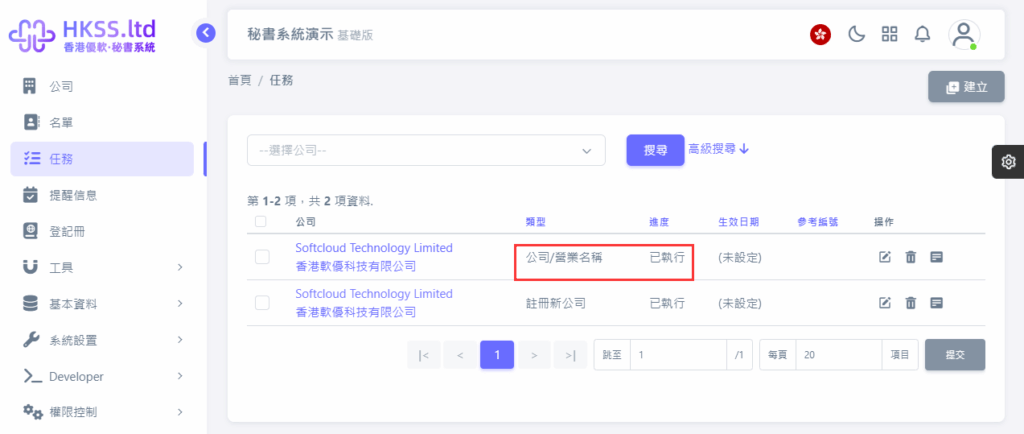
- Finally, an "Executed" record will appear in the task list.
Please follow the on-screen instructions in this section.