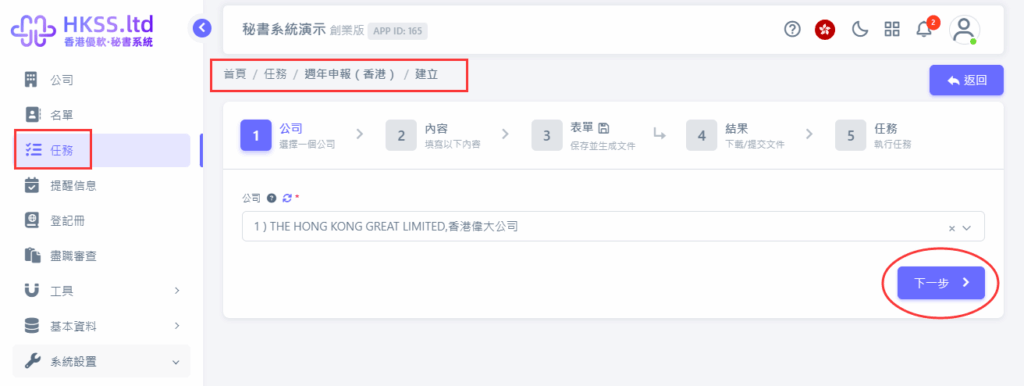
Please follow the on-screen instructions in this section.
Please follow the on-screen instructions in this section.
Please follow the on-screen instructions in this section.
Preparation
- If you do not have an account yet, complete sign-up and login first.
- Fill in the required information according to your case.
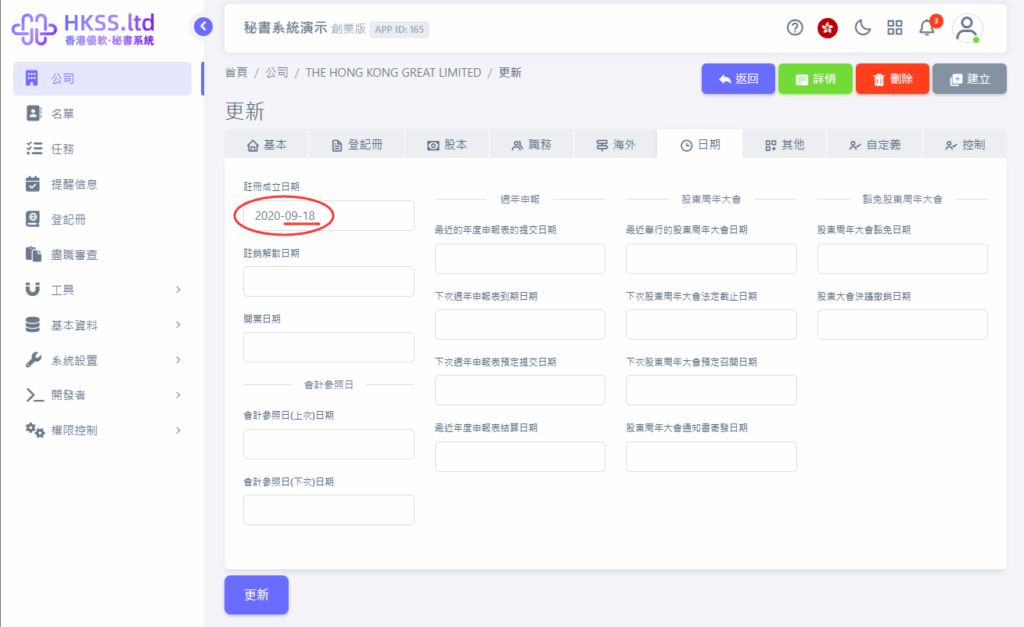
Detailed Operations
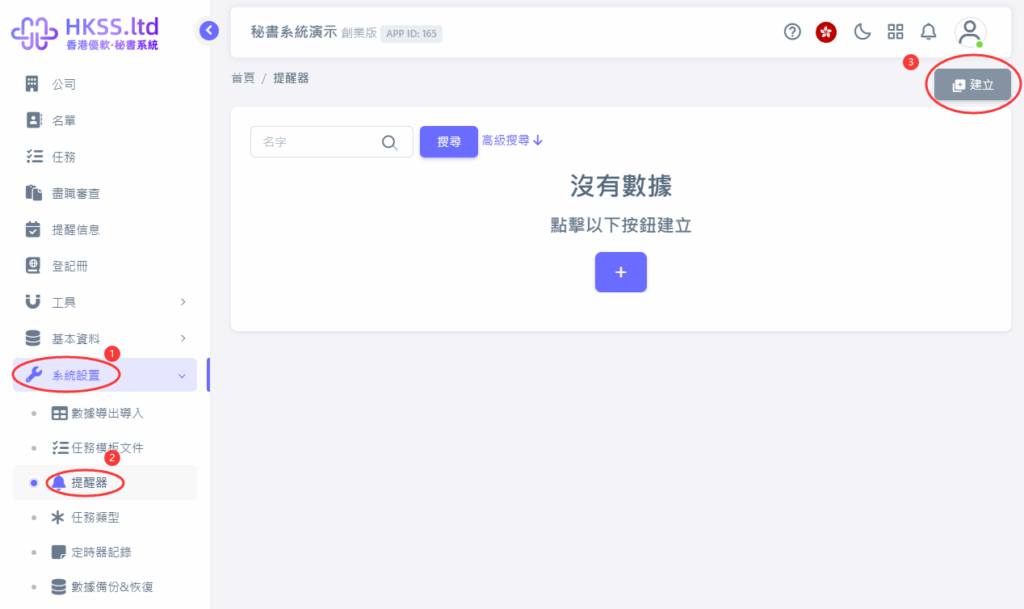
- Go to "System Settings" => "Reminder".
- Click the "Create" button.
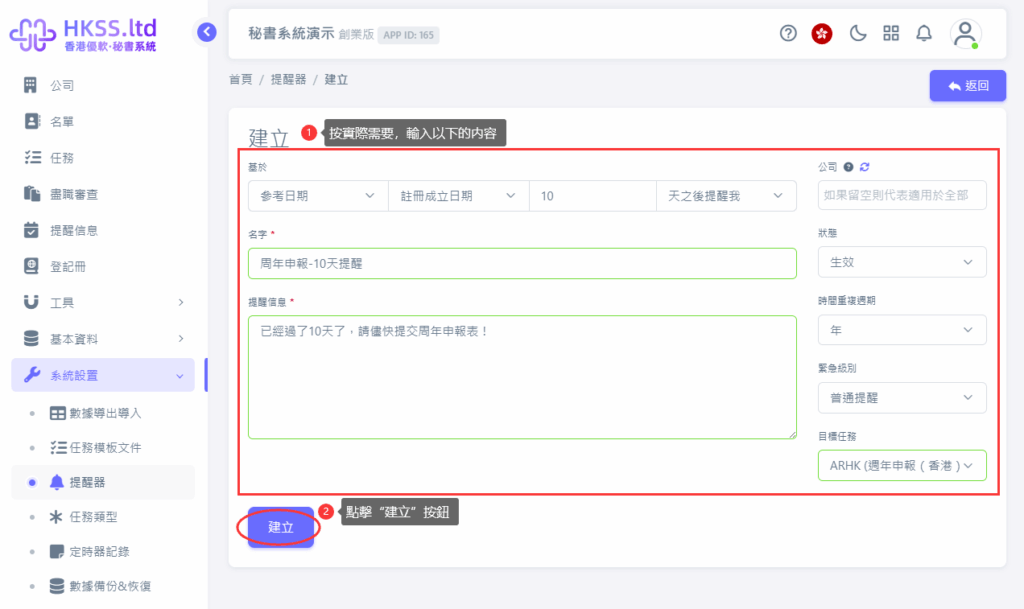
- Fill in the required information according to your case.
- Click the "Create" button.
Please follow the on-screen instructions in this section.
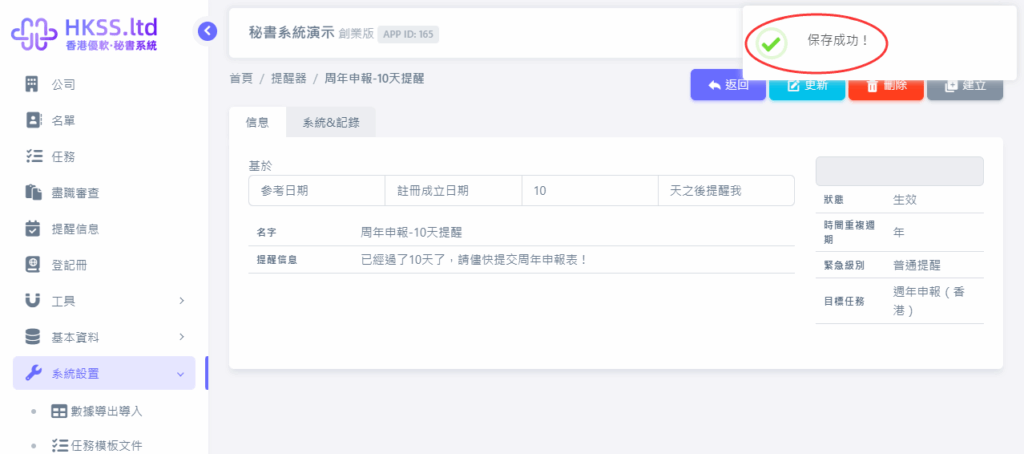
- Review and handle reminder messages based on your workflow.
- Review and handle reminder messages based on your workflow.
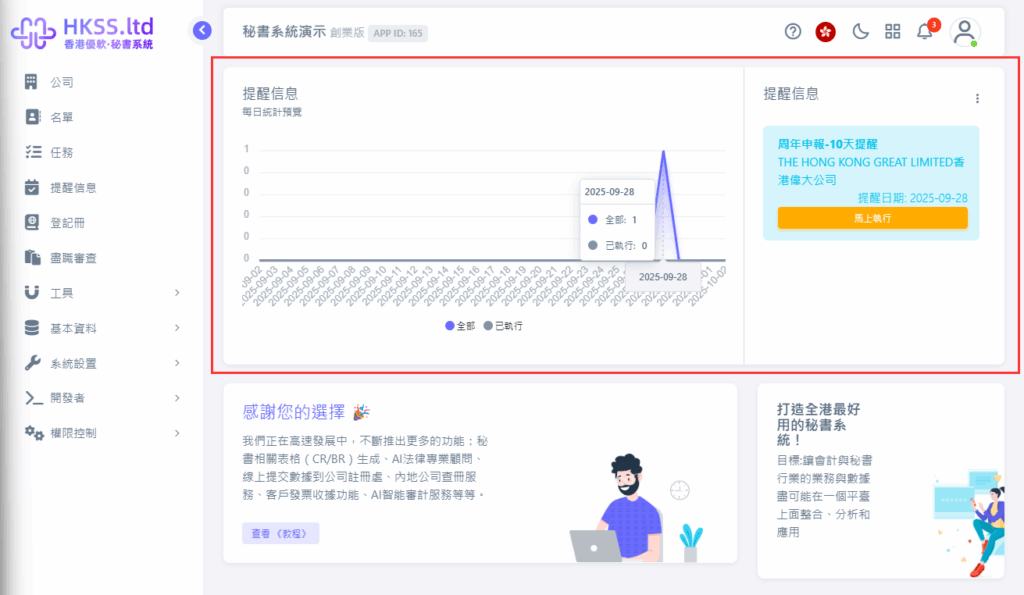
- Review and handle reminder messages based on your workflow.
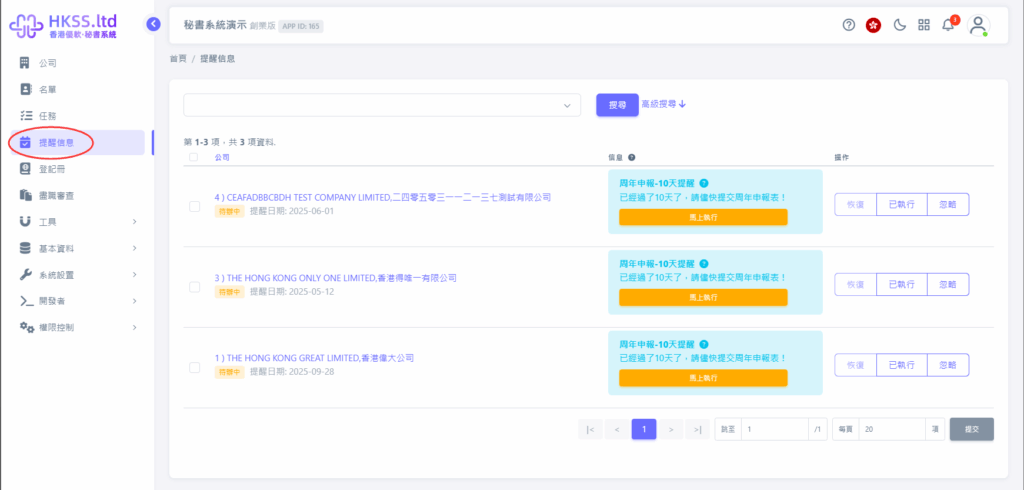
- Click the relevant menu/button and continue to the next step.
- Click the relevant menu/button and continue to the next step.